
介绍
NTLite 是目前最实用的一款无人值守操作系统安装镜像制作工具。该软件界面简洁,使用方便。NTLite 的新一代版本,先将安装光碟或ISO影像档解压缩于文件夹,再以此软体加入资料夹或WIM软体,功能有自订线上安装项目、新增或移除Windows元件、本机硬体检查清单、驱动程式等。
NTLite 允许您删除你不希望或不需要安装的 Windows 组件。此外可以配置和整合,加快 Windows 部署过程和这一切为下一次设置。方便地集成应用程序安装程序、 脚本、 注册表改动或原始命令。提供一个沉默的开关和自动运行应用程序安装程序后安装。所有重要的警告,挂起的更改和操作
软件截图
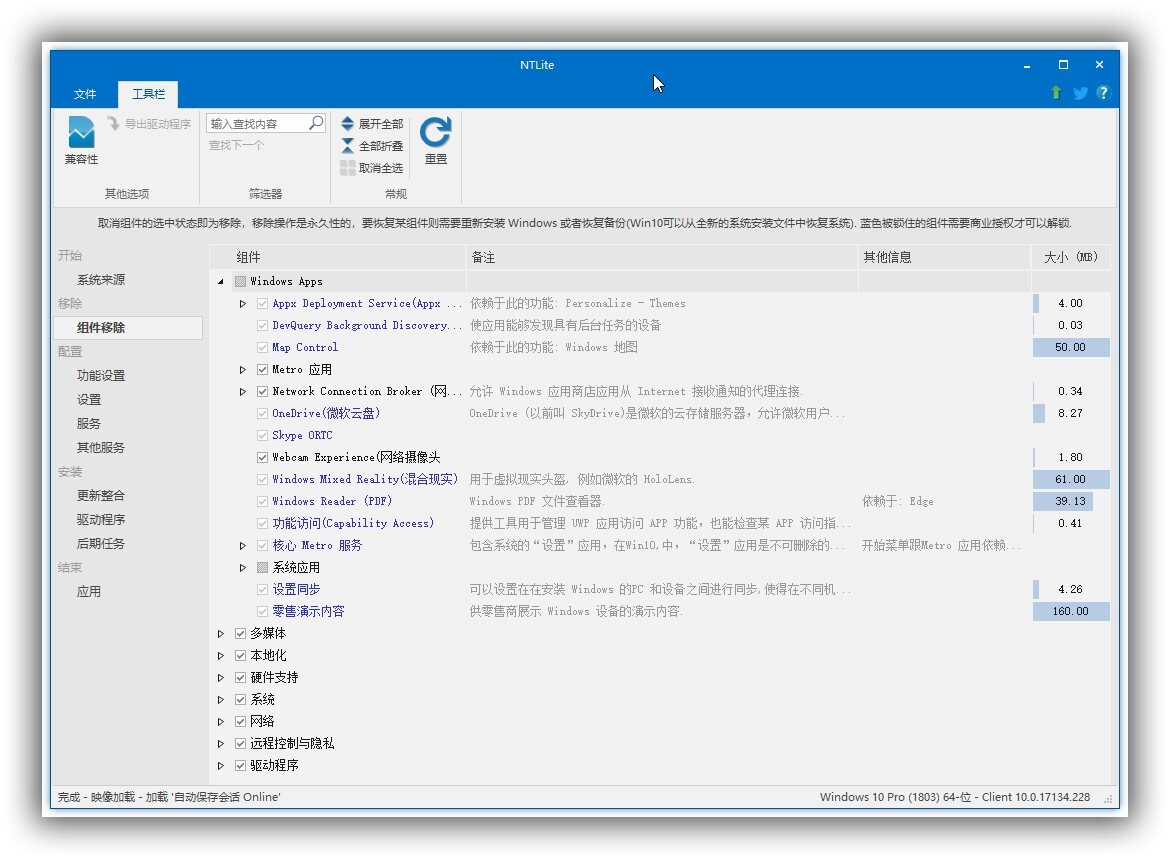
功能特色
1. 集成和自动化
整合更新,驱动程序,自动化的Windows和应用程序设置,加速比Windows部署过程,并拥有这一切集中的下一个时间。
2. 减少占用空间
有选择地删除Windows组件,简化了安装,减少攻击源,并释放磁盘空间。
3. 就地编辑
下一步,编辑图像,也可以做同样的动作在现有的Windows安装就地,并且不需要重新安装。
系统支持: Windows 7, 8, 8.1, 10 (32-bit, 64-bit).
更新日志
2026.01.10761
New
Image: Edition changer, right-click – Edit – Edition
Unattended: Unattended inputs for ‘Support App URL’, ‘Support Provider’, ‘Trade-in URL’, ‘Recycle URL’
Upgrade
UI: ‘Services’ and ‘Extra Services’ pages combined into the Settings page tabs
Components: ‘Display Policy Service” removes more into a 32-bit split
Components: ‘Token Broker’ and ‘Capability Access Manager’ 32-bit split
Components: ‘Legacy games’ compatibility option
UI-Translation: Thanks for French (tistou77), Hungarian (John), Italian (clarensio), Russian (RDS)
Fix
Updates: MSIX Apply – Reapply propagation fix, it was only applied to the main image
UI: Multi instance support fix


发表评论